 Once in a while you may get a customer needing to have a passport photo taken for a country other than the USA. That need sometimes prompts calls into us asking what other passport sizes are included in our Canon CP1300 Passport Photo System. And the that begs the question, "How do I enable other passport sizes?" Well, we have all your answers right here.
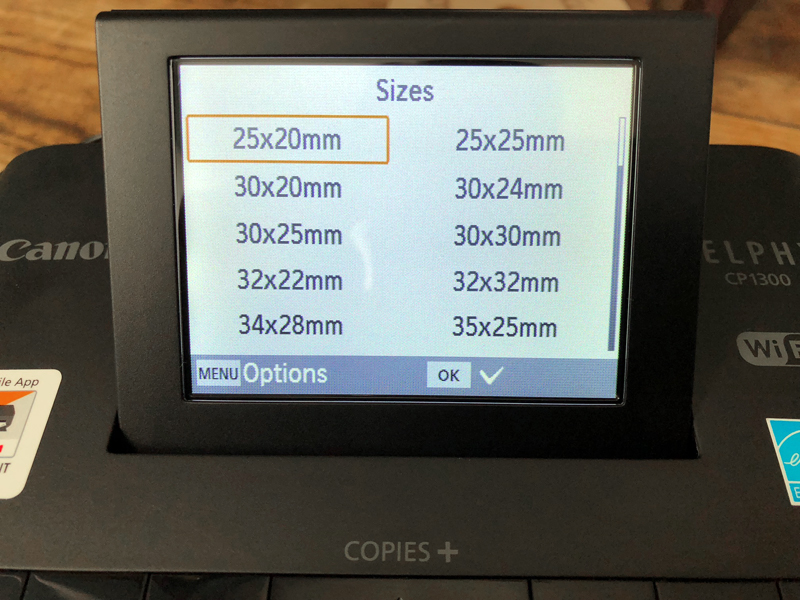
There are 43 ID/passport photo sizes embedded into the CP1300's firmware that are always there. To make printing US passports easy and efficient, we disable everything but the 2.0x2.0 inch size. These can quickly be turned on and off with ease (more on that in the video below). The following is a full list of all the sizes in the printer, these include 50x70mm for Canada and 35x45mm for much of South America:
| 25x20mm | 50x30mm |
| 25x25mm | 50x35mm |
| 30x20mm | 50x38mm |
| 30x24mm | 50x40mm |
| 30x25mm | 50x45mm |
| 30x30mm | 50x50mm |
| 32x22mm | 55x40mm |
| 32x32mm | 55x45mm |
| 34x28mm | 55x50mm |
| 35x25mm | 60x40mm |
| 35x30mm | 60x45mm |
| 35x35mm | 60x50mm |
| 38x30mm | 60x51mm |
| 38x38mm | 60x60mm |
| 40x30mm | 70x50mm |
| 40x32mm | 75x50mm |
| 40x35mm | 90x60mm |
| 40x40mm | 1.8x1.4 in |
| 45x35mm | 1.8x1.5 in |
| 45x40mm | 2.0 x1.8 in |
| 45x45mm | 2.0x2.0 in (USA) |
| 48x33mm |
The video below shows you how to enable and disable any of the above sizes:
https://www.youtube.com/watch?v=EVGsFYovsvY
Do you you you need help with any operations on your passport printer? Want to see us make a video of a function you need to learn? Please let us know in the comments below or contact us.