Guest blogger, Matt Bond - Service Manager for CFS Products
The Model 7020 Pouch Laminator is one of the most popular pouch laminators that we sell, especially since it comes with a 5-Year Warranty.
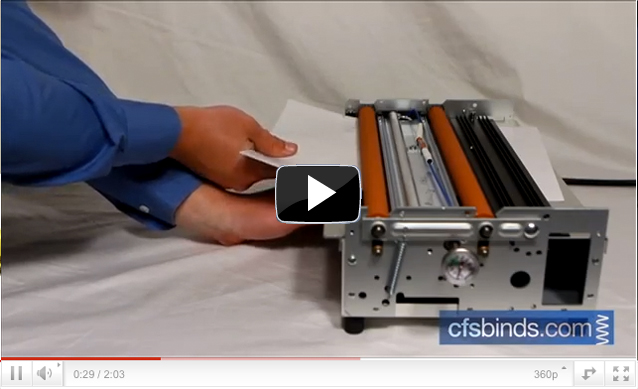
Our most common service question on the 7020: How do I remove a jammed pouch? In response to this common question, we have created a video tutorial that walks you through the process, which is really quiet easy.
Steps include:
- Turn the laminator off and unplug.
- Remove the left and right side covers.
- Remove heater shield.
- Identify where the pouch is stuck
- Between orange rollers – grip firmly and remove.
- Wrapped around rollers – carefully cut pouch and advance rollers
- Jammed underneath the rear exit tray – remove exit tray and tension spring to access jammed pouch
- After jam is cleared, use rubbing alcohol and a rag to clean the rollers
- Reattach tension string and replace covers.
You can watch a video of the process below:
And if all else fails, feel free to call our free over-the-phone tech support at 888-237-3221 – Option 2.